Duolingo taught you words. No one taught you to speak.
PracticeMe: real voice conversations with an AI tutor, 24/7.
English for Tech & IT Professionals: Speaking Guide

You can architect a distributed system, debug a memory leak, and ship code that handles millions of requests. Then a stand-up starts and your throat goes dry.
If you're one of the millions of non-native English for tech workers out there — engineers, developers, DevOps, QA, IT support staff — this gap is exhausting. Your engineering judgment is sound. Your accent isn't the problem. The friction shows up in smaller places: the right word for "regression," the polite way to push back on a code review, the structure of a STAR answer when an interviewer asks about conflict.
This guide on English for tech workers is the playbook I wish more tech professionals had: vocabulary by context, ten full dialogue scripts you can rehearse out loud, and a frank conversation about how language anxiety and imposter syndrome get tangled together in tech.
Quick Summary: English for tech workers isn't really about grammar — it's about confident communication and phrasing for stand-ups, code reviews, demos, retros, and interviews. This guide gives you the exact vocabulary, sentence patterns, and ten rehearsable dialogue scripts to stop freezing in real meetings, plus a free practice approach to make it stick.
Why English feels harder in tech than the actual technical work
Tech moved to remote-first faster than almost any other industry. That means your daily work happens through video calls, async Slack threads, pull request comments, and design docs read by people in five time zones. English isn't a side requirement for tech workers — it's the interface for the entire job.
But here's the part most courses get wrong. The bottleneck for English for tech workers isn't the size of your vocabulary. Functional English (CEFR B1–B2) is enough to start working at a global tech company. The problem is something subtler: the small communication phrases that make a stand-up flow, the softeners that make a code review feel collaborative instead of confrontational, the structure that makes a behavioral interview answer land.
When non-native engineers report being passed over for tech lead roles or watching their ideas get attributed to native-speaking peers, the gap is rarely grammar. It's what communication coaches call the visibility gap — your thinking is strong, but it doesn't make it out of your head clearly enough for the room to act on it.
The fix is targeted. You don't need to study English in general. You need to drill the specific business communication contexts where tech work happens: the stand-up, the code review, the design doc walkthrough, the demo, the retro, and the behavioral interview. The rest of this guide is exactly that — practical communication skills you can learn this week.
English for tech workers: vocabulary by context
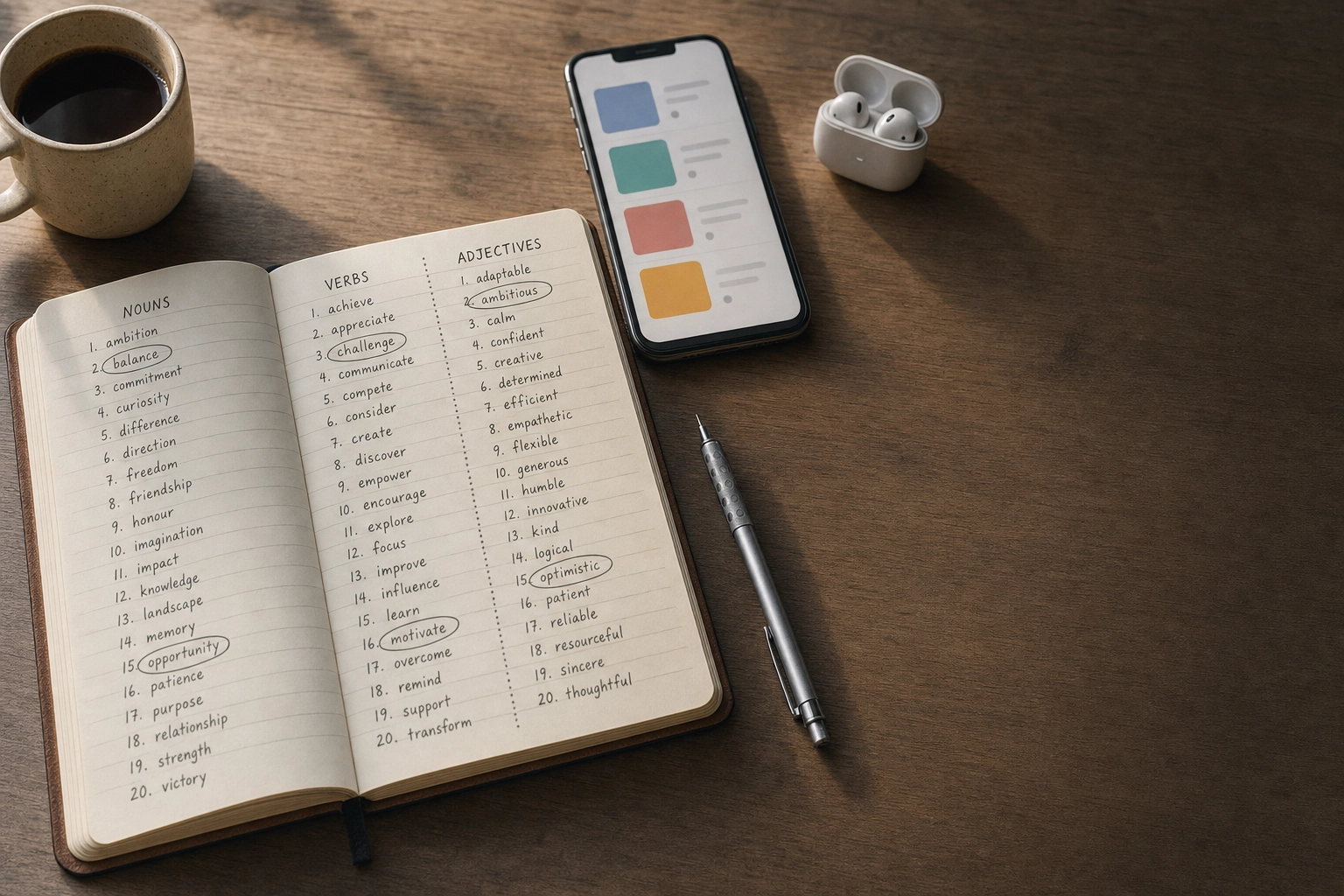
Vocabulary lists alone don't help you learn. You forget words you've only seen on a page. The words below are organized by the context where you'll actually use them — read them, then practice the dialogue scripts in the next section to lock them in. Treat each section as a free mini-lesson you can revisit before relevant meetings.
Stand-up meetings: blockers, sprint, backlog
Daily stand-ups (also called "the daily" or "scrum") follow a predictable rhythm. Most teams answer three questions every morning, the same format Atlassian documents in their guide to stand-ups: what you did yesterday, what you're doing today, and what's blocking you.
Core vocabulary for tech workers in stand-ups:
- Sprint — a fixed time window (usually 1–2 weeks) where the team commits to a set of work
- Backlog — the prioritized list of work waiting to be done
- Ticket / issue / story — one unit of work, usually in Jira or Linear
- User story — a feature described from the user's perspective ("As a user, I want…")
- Story points — a relative estimate of complexity, not hours
- Velocity — how many points your team finishes per sprint
- Blocker / impediment — anything stopping you from making progress
- WIP (work in progress) — what you're currently building
- Picking up — starting a new ticket ("I'll pick up the login bug today")
- Pairing — two engineers working together at one screen
Stock phrases:
- "Yesterday I wrapped up the [feature] and opened a PR."
- "Today I'm picking up the [ticket]."
- "I'm blocked on [thing] — I need [person] to [action]."
- "No blockers from my side."
- "I'll take that offline" — meaning "let's discuss after the stand-up so we don't slow everyone down."
That last phrase is gold. Stand-ups should be 15 minutes. If a discussion is going long, "let's take that offline" is the polite way to redirect.
Code reviews: refactor, merge, deploy
Code reviews are where junior engineers prove they can communicate, and where senior engineers reveal their judgment. The technical concept is universal — the English communication around it is where non-native speakers get tripped up.

Core code review vocabulary:
- PR (pull request) / MR (merge request) — your proposed code change
- Diff — the visual difference between old and new code
- Refactor — restructure code without changing behavior
- Merge — combine your branch into the main branch
- Rebase — replay your commits on top of the latest main branch
- Squash — combine multiple commits into one
- Deploy / ship — push code to production
- Rollback / revert — undo a deployment or commit
- LGTM ("looks good to me") — informal approval
- Nit (nitpick) — a minor, non-blocking comment
- Edge case — an unusual input or scenario
- Race condition — a timing-dependent bug
- Tech debt — shortcuts that need to be cleaned up later
Stock phrases for giving feedback:
- "Consider using [X] here — it might be more readable."
- "One option might be to extract this into a helper function."
- "nit: missing semicolon, not blocking."
- "Could you walk me through your reasoning here?"
- "What do you think about handling [edge case]?"
- "Blocking: this will fail under concurrent writes."
The pattern: hedge the suggestion (consider, one option, what do you think), explain the why, and label severity (nit vs blocking). Direct cultures sometimes skip the hedging — but in written English, hedging is what keeps reviews collaborative instead of combative. If you want a deeper dive into the conversation connectors that smooth out written and spoken feedback, our guide on filler words and conversation connectors covers the patterns native speakers use without thinking.
Client presentations and demos: demo, onboard, scale
When you present to a client, sales engineer, or executive, your audience cares about outcomes, not implementation. The vocabulary shifts from technical to business-focused.
Core business and presentation vocabulary:
- Demo — a live walkthrough of working software
- Walkthrough — a guided tour of a feature or document
- Stakeholder — anyone with skin in the game (client, exec, PM)
- Onboard — bring a new user, customer, or team member up to speed
- Scale — handle more load, users, or revenue without breaking
- Value prop (proposition) — the core reason a customer should care
- ROI (return on investment) — the business payoff
- Roadmap — the planned sequence of upcoming work
- Milestone — a major checkpoint
- Rollout / go-live — when something becomes available
- Pain point — a specific frustration the product solves
- Use case — a specific way someone uses the product
Stock phrases:
- "Let me walk you through what we built."
- "What you're seeing here is [feature]."
- "The problem this solves is [pain point]."
- "If we zoom out for a second…"
- "Great question — let me come back to that in two slides."
- "I'll park that and follow up with you offline."
For idiomatic phrases that appear in nearly every client meeting — circle back, low-hanging fruit, on the same page, drill down — our roundup of business English idioms you'll hear at work is worth bookmarking.
Job interviews: behavioral questions and STAR in English
Tech interviews split into two halves: technical (system design, coding, algorithms) and behavioral. The technical half is mostly the same language you use every day. The behavioral half is where non-native speakers struggle, because answering "tell me about a time when…" requires storytelling structure in real time.
The STAR method is the standard structure used at Amazon, Google, Microsoft, and most major tech companies. MIT's career advising team describes STAR as the most reliable formula for behavioral interview responses. STAR stands for:
- Situation — set the scene (when, where, who)
- Task — what you were responsible for
- Action — what you (not the team) did
- Result — what happened, with numbers if possible
English signal phrases for each part:
- Situation: "About a year ago, I was working on…", "We had a situation where…", "The context was…"
- Task: "I was responsible for…", "My role was to…", "The goal was to…"
- Action: "What I did first was…", "I decided to…", "I took the lead on…"
- Result: "As a result…", "The outcome was…", "We ended up reducing latency by 40%."
Common behavioral question patterns to recognize:
- "Tell me about a time when you disagreed with a colleague."
- "Describe a situation where you had to deliver under pressure."
- "Walk me through a project you're proud of."
- "Give me an example of a time you failed."
- "How did you handle [conflict / ambiguity / a tight deadline]?"
If a behavioral interview makes your stomach drop, you're not alone — the pressure of structuring a story in a second language while someone evaluates you is real. The fix is rehearsal until the structure is automatic, which is exactly what the dialogue scripts below are for.
Remote collaboration: async, sync, align

Remote tech teams have their own dialect. These words show up in Slack a hundred times a day, and they're free to learn just by paying attention to how senior teammates write.
Core remote work vocabulary:
- Async (asynchronous) — work that doesn't happen in real time (Slack, email, docs)
- Sync — a real-time meeting; also "to sync up" means to meet
- Align — agree on direction. "Let's align on priorities."
- Loop in — add someone to a conversation. "Looping in @sarah."
- Ping — send a quick message. "Ping me when you're free."
- DM — direct message
- EOD — end of day; EOW — end of week
- TL;DR — too long; didn't read. A summary at the top of a long message.
- FYI — for your information
- ASAP — as soon as possible
- Parking lot — a list of topics to discuss later
- Circle back — return to a topic. "Let's circle back next week."
- Touch base — have a short check-in
- Heads up — a warning. "Heads up: the deploy is happening at 3pm."
A small thing that helps: when you're in a global team, always specify the time zone. "Let's meet at 3pm" causes chaos. "3pm CET / 9am EST" causes none.
10 dialogue scripts for English for tech workers
Reading vocabulary doesn't build speaking confidence. You need to hear the rhythm of a full conversation and rehearse it out loud — ideally several times, swapping in your own details. Each script below is a real tech moment with the kind of language that sounds natural, not textbook-stiff.
Practice these the same way actors learn lines: read them aloud, then close the page and try to reconstruct the conversation in your own words. This is when the phrases stop being foreign and start being yours.
1. Daily stand-up: reporting progress and a blocker
You: Good morning, everyone. Yesterday I wrapped up the rate-limiting middleware and opened a PR. It's ready for review whenever someone has a moment.
Today I'm picking up the ticket for the dashboard caching issue. I want to get a fix out before the demo on Thursday.
One blocker — I need access to the staging database to reproduce the bug. I've messaged the platform team, but if anyone here has access and can grant me permissions, that would speed things up. Otherwise no blockers from my side. Back to you.
Reusable phrases: wrapped up, opened a PR, picking up, blocker, no blockers from my side, back to you.
2. Explaining a bug to a product manager

PM: Hey, customers are reporting they can't checkout. What's going on?
You: Sure, let me give you the short version first. We have a bug in production that's preventing checkout for users in the EU. The impact is roughly 8% of orders since 2 PM today.
PM: What's causing it?
You: A recent deploy changed how we validate payment methods, and it's incorrectly rejecting a class of European cards. It's a regression, not a new feature issue.
PM: When can we fix it?
You: I can roll back the deploy in about ten minutes — that restores checkout immediately. Then we'll work on a proper fix and ship it tomorrow. Does that work, or do you want me to push for a forward-fix instead?
Why this works: business impact first, then root cause, then options with tradeoffs. PMs aren't asking for the technical detail. They're asking how bad, why, and when fixed.
Duolingo taught you words. No one taught you to speak.
PracticeMe: real voice conversations with an AI tutor, 24/7.
3. Giving feedback in a code review
You (as reviewer, leaving comments on the PR):
Comment 1 (line 42): "Could you walk me through why we need a try/catch here? It looks like the function above already handles the error case. Maybe I'm missing something."
Comment 2 (line 78): "Consider extracting this validation logic into a separate function — it's used in two other places and a helper would make the intent clearer. Not blocking."
Comment 3 (line 104): "Blocking: this will throw if the array is empty. We hit this exact bug last quarter, so I'd want a guard here before merging."
Comment 4 (overall): "Nice work on the test coverage. The new edge cases for null inputs are exactly what was missing. Once the line 104 issue is addressed, this is good to merge."
Pattern: ask before assuming, label severity, end with something positive that's specific (not "good job" — say what was good).
4. Responding to code review feedback on your PR
You (as PR author, replying):
"Thanks for the review. Quick responses inline:
Line 42: Good catch — you're right, the try/catch is redundant. I've removed it.
Line 78: I see your point. I extracted the validation into
validatePaymentInput()and updated the two other call sites.Line 104: Fair concern, but I want to push back gently here. The array can never be empty at this point because we filter upstream in the controller. I added a comment explaining the invariant — let me know if you'd still prefer a defensive check.
Ready for another look when you have time."
Phrases to steal: good catch, I see your point, I want to push back gently here, let me know if you'd still prefer.
Pushing back politely is a skill non-native speakers often avoid because they're worried about sounding rude. The phrases above let you disagree without losing the relationship.
5. Presenting a technical decision in a design review

You: Thanks for joining. Today I'd like to walk you through how we should handle the new image pipeline, get your feedback, and ideally make a decision by the end of this meeting.
Quick context: our current setup processes uploads synchronously, and as we scale to ten times our user base, that's not going to hold up. I looked at three approaches.
Option one is a queue-based system with workers. Option two is using a managed service. Option three is keeping the current setup with horizontal scaling.
My recommendation is option one. The reason is twofold: it gives us the most control over retry logic, and the team already has experience with the queue technology. The tradeoff is more operational overhead — we'd own scaling the workers ourselves.
The managed service is faster to ship, but it locks us in and the cost is roughly 3x at our projected volume.
I'd love to hear your concerns before we commit. What's not landing for you?
Structure: context, options, recommendation, why, tradeoff, invite pushback. The last sentence is critical — "what's not landing for you?" beats "any questions?" because it invites real disagreement.
6. Demoing a feature to a client or stakeholder

You: Welcome, everyone. I'll keep this to twenty minutes — fifteen for the demo, five for questions. Feel free to interrupt at any point.
What you're seeing on screen is the new analytics dashboard we built based on the feedback from your team last month. The pain point you raised was that you couldn't see conversion data broken down by channel without exporting to a spreadsheet.
Let me walk you through a real workflow. I'll log in as a marketing manager…
[demo proceeds]
So that's the core flow. Quick recap of what changed: the conversion drilldown that used to take twenty minutes in Excel now takes about thirty seconds here. Rollout is planned for next Tuesday for your team specifically, then general availability the week after.
What questions do you have?
Pattern: set time expectations, anchor to their pain point (not your features), narrate as you click, summarize the delta, end with a clear next step.
7. Leading a sprint retrospective
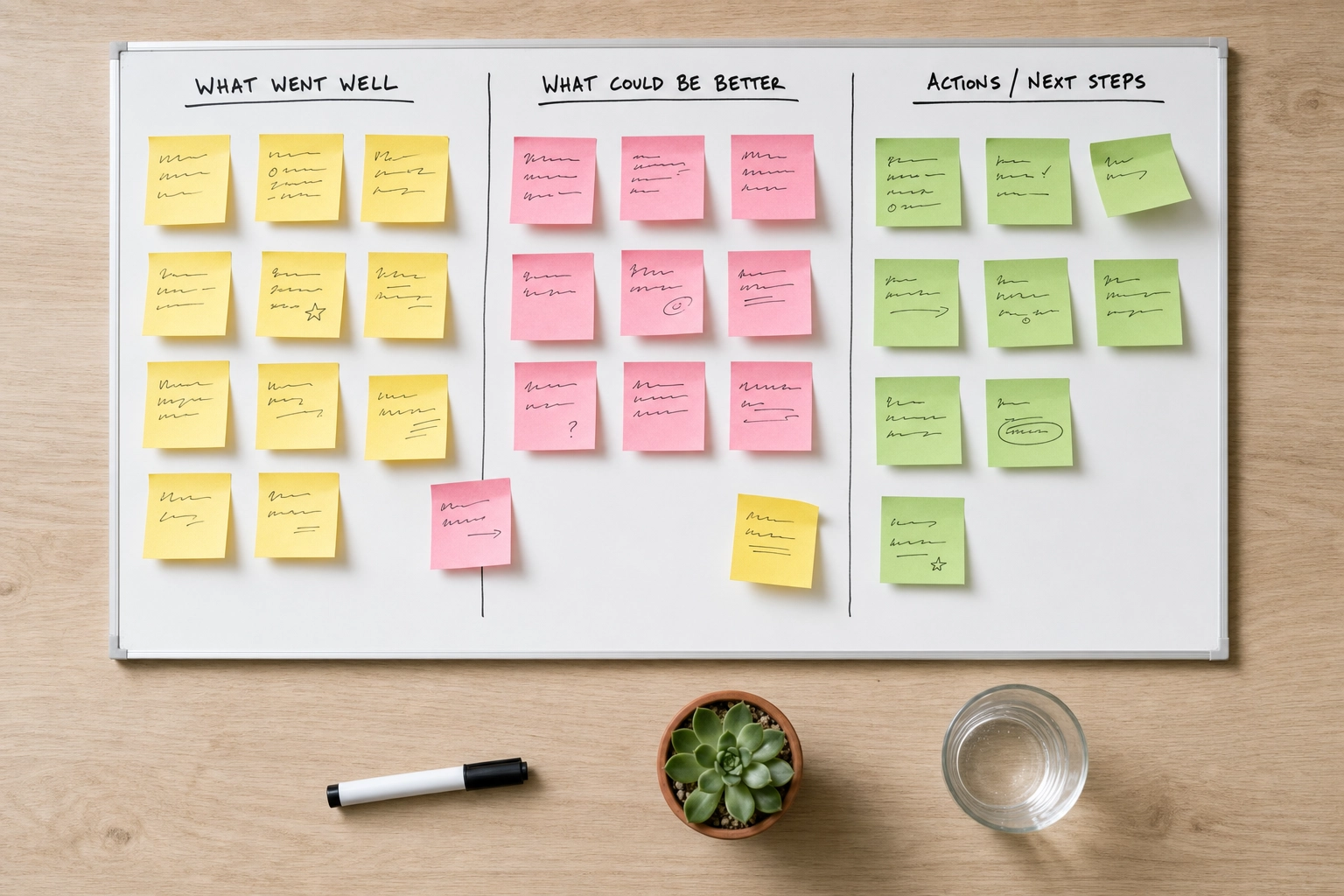
You (as facilitator): Hey team, thanks for being here. We've got 45 minutes. The format is the usual: what went well, what didn't go well, and action items. Anything we agree on becomes a ticket I'll create after the meeting.
Let's start with what went well. I'll go first to get us going. I thought the new on-call rotation worked much better — we had three incidents and they were all handled within SLA without anyone burning out. Who else?
[team shares]
Okay, what didn't go well? And remember, no blame here — we're focused on the system, not individuals.
[team shares]
Last part: action items. From everything we discussed, what are the two or three things we actually want to commit to changing? Let's not leave with a list of ten — we'll do none of them.
Phrases: I'll go first to get us going, no blame here, focused on the system not individuals, let's not leave with a list of ten. These set tone fast and prevent the retro from devolving into venting. Atlassian's retrospective playbook is a useful reference if you're new to facilitating one.
8. Behavioral interview answer using STAR

Question: "Tell me about a time you handled a difficult production incident."
You: Sure. About eight months ago, I was a senior engineer on the payments team at my last company. (Situation)
One Friday afternoon, our payment service started timing out for around 15% of transactions. Customers couldn't complete checkout, revenue was dropping by the minute, and our on-call engineer was on a flight. The team lead asked me to take incident command. (Task)
The first thing I did was set up a war room in Slack and bring in two other senior engineers I trusted. I assigned one of them to communicate with customer support so they could update affected users, and the other to start triaging logs with me. Within fifteen minutes we identified the root cause — a third-party fraud detection API was returning slowly, and our timeout configuration didn't have a circuit breaker. I made the call to bypass that service temporarily, which restored the payment flow. After things stabilized, I led the postmortem the following Monday and we shipped a proper circuit breaker by Wednesday. (Action)
The result was that we restored full functionality in about 40 minutes, with roughly $80,000 in delayed revenue rather than lost. The circuit breaker pattern we implemented became the standard for all our outbound integrations, and we haven't had a similar incident since. (Result)
What makes this work: specific numbers (15%, 40 minutes, $80,000), clear use of "I" (not "we") for actions, tradeoff acknowledged (bypass had risks), and a long-term result, not just an immediate fix. Indeed's career guide on STAR has more examples if you want to see the structure applied to other question types.
9. Disagreeing in a meeting (politely pushing back)

Colleague: I think we should rewrite the entire authentication service in Rust. It would be much faster and safer.
You: That's an interesting idea, and I see the appeal. Can I push back on the timing, though? My concern is that auth is one of our most stable services right now, and a full rewrite means at least three months where we're not shipping anything users notice. I'm not sure we can justify that to leadership unless we have a concrete pain point we're solving.
What if we identified the two or three hottest paths and rewrote just those, then evaluated whether the full rewrite is worth it? That way we get most of the performance benefit without the risk.
Pattern: acknowledge their point, name the specific concern, propose an alternative. Phrases like can I push back, my concern is, what if we… let you disagree without sounding adversarial.
10. 1:1 with your manager about workload and priorities

Manager: How's everything going?
You: Honestly, I wanted to use this 1:1 to talk about my workload. I'm currently leading the migration project, supporting two on-call rotations, and reviewing about ten PRs a week from the new hires. Each of those is reasonable on its own, but together I'm not doing any of them as well as I'd like.
Manager: What do you suggest?
You: A couple of options. One: I can hand off the new hire reviews to Marcus — he's been wanting more mentorship work. Two: I can stay on one on-call rotation instead of two for the next quarter while the migration ships. I'd prefer to keep ownership of the migration since I have the most context.
Also, separately — I wanted to mention I'm starting to think about what's next for me, and I'd love your input on what would set me up for a senior-staff promotion in the next twelve months. Could we book some time to talk about that specifically next week?
Why this works: specific (numbers, named projects), proposes solutions instead of just complaining, separates the workload conversation from the career conversation. Bringing options to your manager makes you sound senior, even if you're not yet.
Imposter syndrome and English for tech workers: separating two different problems

Here's something that took me too long to notice in my own head. When you're a non-native speaker working in tech, two voices end up shouting over each other:
- "My English wasn't perfect just now."
- "I'm not technically competent enough to be here."
These are completely different problems. But they get tangled up, and the language anxiety amplifies the imposter feeling. You make a small grammar mistake in a code review comment, and suddenly you're questioning whether you should be on this team at all.
The data is worth knowing. The Stack Overflow developer blog has documented how widespread imposter syndrome is among software engineers — including senior engineers at top tech companies. It's not a marker of incompetence. It's a marker of working in a field where what you don't know is always larger than what you do.
For non-native speakers, the trap is conflating two unrelated signals. A code review comment that says "this won't work under concurrency" is technical feedback. It says nothing about your English. A reviewer who phrases things tersely is probably tired, not judging your fluency. Your colleague who interrupts you in a meeting is rude in any language — it's not about your accent.
What helps:
- Name the feeling. When you notice the spiral starting ("I sounded stupid in that meeting"), label it: that's anxiety talking, not a fact. Naming reduces the grip.
- Separate language from technical critique. When you receive feedback, ask yourself: is this about what I said or how I said it? Almost always, it's the what. The how is something you can polish over time without it being urgent.
- Build a phrase bank. A lot of meeting anxiety comes from not having pre-loaded phrases for common moments. Once you have ten reusable openings, ten ways to push back, ten ways to ask for clarification — your working memory frees up to focus on the actual content. The dialogue scripts above are your starting bank for English for tech workers — and they're free to copy, adapt, and learn at your own pace.
- Rehearse before high-stakes meetings. Five minutes of speaking your stand-up out loud before the call. Ten minutes running your STAR answer the night before an interview. This isn't excessive — it's how performers prepare. If you'd like a deeper read on the anxiety side, we wrote a full guide on overcoming the fear of speaking English that covers the science and practical drills.
The shift to internalize: your accent is not the bug. Most of your colleagues notice it for thirty seconds, then never think about it again. What they remember is whether your ideas were clear and whether you were good to work with. Both of those are skills, and skills get better with deliberate practice.
How to practice English for tech workers (and why rehearsing out loud matters)

Reading the scripts above won't make them yours. Reading is recognition; speaking is recall. Those are different muscles, and most non-native engineers train recognition (consuming English content) far more than recall (producing it). Real progress for tech workers comes from speaking the words out loud, repeatedly, in the contexts that matter for your job.
The standup is happening in real time. The interviewer is waiting right now. You can't pause to translate. The only way to make English production automatic is to do it under low-stakes conditions repeatedly, until the words are loaded and ready when the stakes are high.
A practical loop that works:
- Study the phrase bank. Pick one context — say, code reviews. Read the vocabulary and the dialogue script aloud once.
- Rehearse the full scenario. Out loud. Alone in your room is fine. Pretend you're in the meeting. Do it three times until you stop reading and start improvising.
- Do it for real with stakes. The next time you actually have a code review or a stand-up, the phrases come out without thinking. That's the goal — fluent English for tech workers in the moments that actually matter.
The hard part is step two for most people. Speaking out loud to nobody feels strange, and you can't get feedback on whether the words sound natural. This is where Practice Me fits in.
Practice Me is a voice-based AI English tutor designed for exactly this kind of rehearsal. You can have real-time voice conversations with AI tutors who play the role of a product manager asking about a bug, an interviewer running a behavioral round, or a code review partner working through a PR with you. The accent options (American or British) let you match the team or company you're preparing for. The vocabulary you use gets saved automatically, so the tech words you encounter in conversations build into a personal phrase bank you can review later.
A few practical ways tech workers use it:
- Five minutes before stand-up: rehearse what you'll say. Get the rhythm of "yesterday / today / blockers" out of your mouth before the camera turns on.
- Before a job interview: run your STAR stories with an AI tutor playing the interviewer. Six to eight rehearsals turns "tell me about a time" from a panic moment into a familiar prompt.
- Before a client demo: narrate your demo to an AI tutor, take questions, get used to handling interruptions in English.
- After a tough meeting: debrief out loud. Process what you wanted to say but couldn't. The replay is where you build the phrases for next time.
You can learn more about practicing English speaking with AI or check out Practice Me Pro pricing if you're ready to try it. There's a free trial via the App Store or Google Play for tech workers who want to test it before subscribing.
There's nothing magical about AI tutors. The magic is just frequency. You speak English on a topic that matters to you, every day, with no judgment and no scheduling friction. Over weeks, the meetings stop being events you survive and start being moments you contribute to. That shift — from surviving to contributing — is what every non-native engineer is actually trying to buy when they study English. The vocabulary lists, scripts, and communication patterns above are the tools to get you there. For more on the broader strategy, our guide on improving English speaking as a non-native covers complementary practice habits.
Frequently Asked Questions
What level of English do tech workers actually need?
Functional B1–B2 English is enough for most individual contributor roles at global tech companies. You need to understand meetings, write coherent Slack messages and PR comments, and contribute to design discussions. To grow into senior, staff, or lead positions, the bar shifts to C1 territory — not because the grammar gets harder, but because the work demands precision and persuasion. Senior engineers write design docs that have to convince directors and explain tradeoffs to non-technical executives. That's a different skill from daily standup English.
How can I improve my English for code reviews specifically?
Build a personal phrase bank of softeners and structural openers. Read PRs from senior engineers on your team — copy how they phrase blocking comments, how they hedge suggestions, how they end reviews positively. Practice writing reviews in English even when you don't have to (review your own old PRs as a free exercise). And rehearse out loud, because most code reviews include a follow-up conversation where you'll need to defend or explain a comment in real time. If you want to stop translating in your head before producing English in reviews, that habit alone speeds things up significantly.
Should tech workers use idioms in business meetings?
Yes, but stick to common business idioms that show up everywhere: circle back, on the same page, low-hanging fruit, drill down, get on the same wavelength, table this for now, take it offline. Avoid obscure idioms that might confuse other non-native speakers in a global meeting. Tech English is a lingua franca — clarity beats colorfulness. When in doubt, plain language wins.
What's the best way to prepare for a behavioral interview in English?
Prepare 6–8 STAR stories that cover the most common categories: a time you led, a time you failed, a time you handled conflict, a time you delivered under pressure, a time you influenced without authority, a time you made a difficult tradeoff. Write each one out (around 200 words), then rehearse them out loud until they're three minutes long, structured, and feel natural — not memorized. Practice with someone, even an AI tutor, who can ask follow-up questions you didn't expect. The interview isn't testing your script; it's testing your ability to recall, structure, and adapt under pressure.
How do I sound less robotic when speaking English at work?
Three things make the biggest difference. First, use connector words — so, actually, basically, the thing is, what I mean is. Native speakers pepper these throughout their speech. Second, match your team's tone — if they're casual, contractions and lowercase are fine. Third, allow yourself small talk: "How was your weekend?" before a meeting starts isn't wasted English — it's how relationships build, and relationships are how you get included in the rooms where decisions happen.
Is American or British English better for tech workers?
Most global tech companies and open-source communities lean toward American English — it's what most documentation, tutorials, and conference talks use. British English is fine if you work with UK or EU teams, and most native speakers don't care about minor differences in spelling or vocabulary. What matters more is consistency: pick one and stick with it in your writing. For speaking, your accent doesn't need to change — clear pronunciation matters far more than which native accent you imitate.