Duolingo taught you words. No one taught you to speak.
PracticeMe: real voice conversations with an AI tutor, 24/7.
Speakometer Review: Free Pronunciation Training? [2026]
![Speakometer Review: Free Pronunciation Training? [2026]](https://cdn.babyseo.ai/images/practiceme.app/speakometer/speakometer-review-pronunciation-practice-hero.webp)
If you've searched for a free way to drill English pronunciation, Speakometer probably came up. It's a small app from a London studio that promises AI-powered accent training in both American and British English — for free. After spending real time inside the app, comparing it to paid alternatives, and reading what actual users say, this Speakometer review for 2026 covers what it does well, where it falls short, and whether it deserves space on your phone.
Quick Summary: Speakometer is a genuinely free pronunciation drill app that rates your spoken English words with AI feedback in American or British accent. It's a solid foundation tool — but because it only works at the word level (not sentences or conversations), you'll outgrow it fast if your goal is real fluency and natural speaking skills.
What Is Speakometer?
Speakometer is a free English pronunciation and accent training app made by Datawide Ltd., a small UK studio that launched it in 2019. It runs on iPhone, iPad, and Android — a rare combination, since most newer apps ship iOS-first.
The premise is simple. You pick your native language and a target accent (American or British), the app plays a word in a native voice, you repeat it into your phone, and an AI rates how close you got. A "speakometer" gauge shows green, yellow, orange, or red. Repeat. Move on.
Speakometer sits at 4.7 stars on the App Store with around 1,900 ratings, and it's been studied in an academic TESL-EJ paper on computer-assisted pronunciation training tools. It's not a fly-by-night app — it's a focused drill machine designed to help non-native speakers improve their English pronunciation.

How Speakometer Works in Practice
The first-run experience is fast. No long sign-up. Pick your native language from 40+ options, choose American or British English as your goal, and you're inside.
The home screen has four sections — Me, Learn, Search, and Practice. Most learners spend their time in two:
- Practice drops you into a customised course based on your native language and history. Spanish speakers get exercises for the /b/–/v/ contrast. Japanese learners get more /r/ vs /l/ work. Mandarin speakers get TH-sound drills.
- Search lets you look up any of 65,000+ English words and hear the British and American pronunciations side by side.
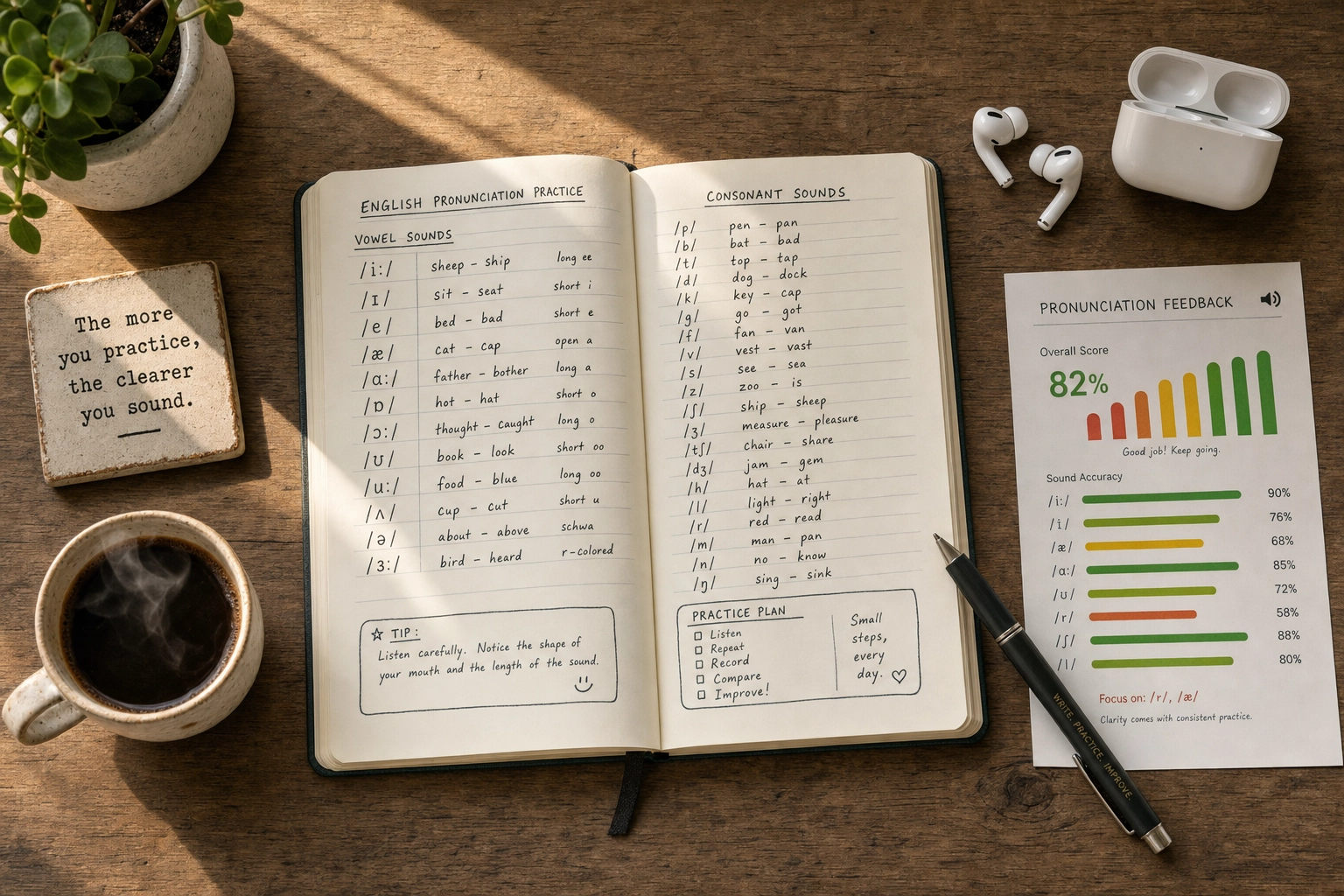
Each drill takes about ten seconds. Hear the word. Tap to record. Speak. The gauge lights up. The app says "Very good," "Almost," or asks you to try again. There's an IPA transcription on screen if you want the phonetic breakdown.
It's repetitive — by design — and that's both the appeal and the limit.
Speakometer Features at a Glance
For a free pronunciation app from a one-person studio, the feature list is surprisingly long:
- AI speech recognition with instant feedback on every attempt
- American and British English accent options, including Received Pronunciation
- 65,000+ word library searchable by typing any word
- Personalised practice paths based on your native language and history
- Top 3,333 words course plus thematic word lists
- Minimal pairs drills — paired words like "ship/sheep" or "bat/pat"
- IPA phonetic chart integration for technical depth
- Voiced vs voiceless consonants and long vs short vowel mini-courses
- Translations in 40+ languages
- Offline practice once words are cached
- Daily reminder notifications to keep streaks going
What's missing is just as telling: no sentence drills, no conversation, no listening lessons, no writing practice, no human coaches. Speakometer does one thing.
Speakometer Pricing: How Free Is "Free"?
The base experience genuinely is free. You can download the app, use the AI speech feedback, drill minimal pairs, and search words without paying.
The catch shows up when you want the full library. Some courses, advanced thematic lists, and parts of the 65,000-word search are locked behind in-app purchases. One Reddit user pointed out that the free tier caps you at the most frequent 2,000 words before a subscription prompt appears.
By contrast, Practice Me Pro pricing is a flat subscription with a free trial on iOS, but you get unlimited voice conversations rather than drills.

What This Speakometer Review Found It Gets Right
Within its narrow lane, Speakometer does several things genuinely well.
The free tier is real. Most pronunciation apps lock AI feedback behind a paywall. Speakometer lets you actually use the core feature — getting scored on your pronunciation — without paying.
Both major accents are supported. A lot of pronunciation apps default to American English only. Getting British and Received Pronunciation in the same app is uncommon and useful for IELTS candidates or anyone who prefers RP.
Personalisation by native language is smart pedagogy. Different native languages cause different English pronunciation problems. Speakometer adapts drills to whether you're a Spanish, Mandarin, Arabic, or Hindi learner. (See hard English words for Spanish speakers and the hardest English words to pronounce by native language.)
Cross-platform reach. iOS, iPad, and Android — broader coverage than most competitors. If you're on Android, Speakometer is one of the few decent pronunciation apps available.
Zero-pressure environment. You can mispronounce "thoroughbred" twenty times and the app keeps coaching you. For learners with speaking anxiety, that low-stakes loop is exactly what they need to start improving.

Where Speakometer Falls Short
This is where an honest Speakometer review has to push back on the marketing.
It only works at the word level. Real pronunciation problems live in connected speech — how words blend, where stress falls, how intonation rises and drops. Speakometer drills none of that. You can ace every word in isolation and still sound robotic when you string them together.
Pronunciation accuracy isn't always perfect. A native English speaker left a notable App Store review on April 25, 2025: "Some of the words are pronounced wrong, so people are learning them wrong." They mentioned playing the app's own audio back into the microphone and being told it was incorrect. Multiple users have flagged similar issues.
Speech recognition is hit-or-miss. A Reddit user in r/EnglishLearning described the app sometimes failing to hear them. This happens more often in noisy rooms or with quieter voices.
The UX feels dated. Compared to better-funded competitors, the interface looks years behind.
No support inside the app. No contact form, no in-app chat. If something breaks, you're stuck.
Drills get tedious. Not really Speakometer's fault — it's the nature of drill apps. After a week or two, you'll either embrace the repetition or quietly stop opening the app.
Duolingo taught you words. No one taught you to speak.
PracticeMe: real voice conversations with an AI tutor, 24/7.
Speakometer vs Practice Me: Drill App Meets Conversation App
Speakometer and Practice Me aren't really in the same category — they solve different problems for English learners.
| Feature | Speakometer | Practice Me |
|---|---|---|
| Core approach | Word-level pronunciation drills | Full AI voice conversations |
| What you do | Repeat single words, get scored | Talk to AI tutors about real topics |
| Pronunciation focus | Phonemes (individual sounds) | Pronunciation in context |
| Sentence-level practice | No | Yes |
| Conversation practice | No | Yes — that's the whole point |
| Accents | American, British (RP) | American, British |
| Tutor personalities | None — just word audio | Three (Sarah, Oliver, Marcus) |
| Vocabulary tracking | Word history | Auto-saved from conversations |
| Pricing | Free + in-app purchases | Paid Pro tier with a free trial |
| Platforms | iOS, iPad, Android | iOS, iPad, Android |
| Best for | Drilling specific problem sounds | Building real speaking fluency |
Speakometer is a free-throw machine — same shot, again and again, until your form improves. Practice Me is a pickup game. You can't see your form, but you find out fast whether it works under pressure. A free-throw machine is great, but it doesn't make you a basketball player. You need both.
The honest truth: most pronunciation problems disappear once you have actual conversations. Native speakers don't notice if your /θ/ is technically perfect — they notice whether they understood you. Conversation reveals which sounds need work and teaches the rhythm that drill apps can't.

When to Use Speakometer (And When to Skip It)
Use Speakometer when:
- You're a beginner needing a foundation in problem sounds (TH, R/L, vowel pairs)
- You can't afford a paid app and want something genuinely free
- You're targeting a specific phoneme your native language doesn't have
- You're on Android and your options are limited
Skip Speakometer when:
- You already pronounce words correctly in isolation but freeze in conversation
- You're prepping for IELTS, TOEFL, or any speaking exam where full responses matter
- You need rhythm, intonation, or sentence-stress practice
- Drill apps bore you and you've abandoned them before

How to Stack Speakometer With Conversation Practice
- Pick three sounds you struggle with. Not twenty. Three.
- Drill them for five to ten minutes. Use minimal-pair exercises until you can hit green consistently.
- Move straight to a real conversation. Open a conversation practice tool, join a language exchange, or call a friend. Use those words in actual sentences.
- Notice when you're not understood. That's the signal. Loop back to Speakometer for those words.
Drill, apply, notice, drill again — that loop is how isolated pronunciation work becomes clearer English speaking.
Frequently Asked Questions
Is Speakometer really free?
Yes, the base app is free, including the AI speech-recognition feedback. In-app purchases unlock additional courses and the full 65,000-word library. The free tier covers roughly the most common 2,000 English words before a paywall — plenty for beginners.
Does Speakometer work on Android?
Yes — it's on Google Play and the App Store, which makes it one of the few solid English pronunciation apps with full Android support. Most dedicated pronunciation-drill competitors are iOS-only or iOS-and-web.
Is Speakometer good for IELTS or TOEFL speaking practice?
Partially. It helps with word-level pronunciation that might cost you points. But IELTS and TOEFL speaking require fluent, sentence-level responses with natural rhythm — which Speakometer doesn't train. Pair it with conversation tools and our TOEFL speaking practice topics guide.
How accurate is Speakometer's AI feedback?
Reasonable for a free app, but not flawless. App Store reviews from native speakers flag occasional incorrect pronunciation models, and the speech recognition sometimes fails to register clearly spoken words. Use the gauge as a guide, not a verdict.
What's the best Speakometer alternative?
For a polished drill experience, ELSA Speak is the obvious upgrade — see our ELSA Speak alternatives round-up. For pronunciation that improves through real conversation, Practice Me's AI English tutors are built for that. For more budget options, see best free English speaking apps.
The Verdict: A Solid Free Drill App With Real Limits
This Speakometer review's bottom line: the app earns its 4.7-star rating by doing one thing reasonably well — AI-powered word-level pronunciation drilling, free, on iOS and Android. For absolute beginners, learners on a budget, or anyone targeting specific problem sounds, it's an easy recommendation.
But pronunciation in real life isn't a parade of isolated words. It's connected speech, rhythm, and being understood under pressure. To sound natural — and stay motivated past week two — you need real conversation. See best English pronunciation apps for the broader market, and when you're ready to put your sounds into actual dialogue, the AI English tutors at Practice Me are built for that next step.